https://developer.aliyun.com/article/765818
1.下载windows driver kit并安装
https://docs.microsoft.com/zh-cn/windows-hardware/drivers/download-the-wdk
2.默认 poolmon 的路径是 C:\Program Files(x86)\Windows Kits\10\Tools\x64
或C:\ProgramFiles (x86)\Windows Kits\10\Tools\x86
3.运行如下命令:
cd <poolmon.exe 的路径>
poolmon -u -n c:\1.txt
4.查看1.txt, 在Bytes 这列找到占用pool 最高的tag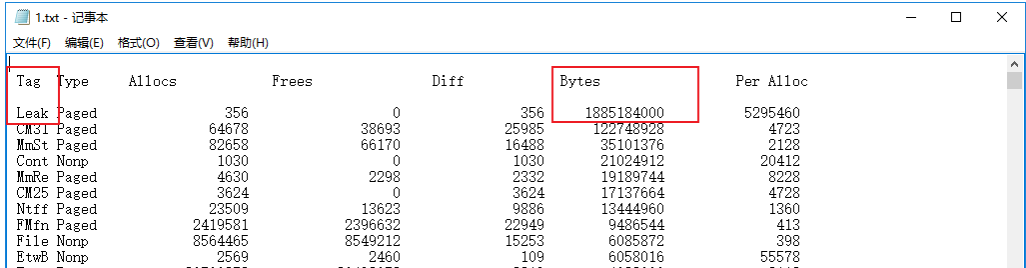
5.之后查找tag 对应的组件。
右击cmd, 选择以管理员身份运行以下命令行:
c:
cd\
findstr /m /l /s Leak*.sys   (标黄部分换成具体tag)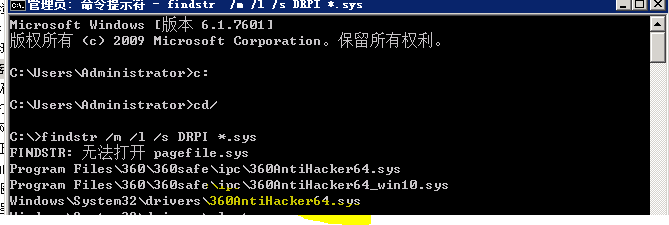
6.根据查到的组件找到对应的应用,建议升级或临时卸载。

没有评论:
发表评论